The Lean DevOps Stack: From Git Push to Production in 2 Minutes
The Promise: Production-Grade DevOps Without the DevOps Team
In Part 1 of this series, we proved that a single €7.59/month VPS outperforms Docker Swarm by 37%. But performance is only half the story.
The other half: How do you actually deploy code to that VPS without spending your evenings debugging YAML?
This article documents our setup: Coolify + Docker Compose + Terraform. Three tools that give us:
- 2-3 minute deploys triggered by
git push - Preview environments for every PR (39 seconds to spin up)
- Auto-HTTPS via Let’s Encrypt
- Infrastructure-as-code for disaster recovery
- Zero DevOps hires required
Total monthly cost: €7.59 for the application server, plus €3.79 for the Coolify control plane.
Part 1: The Docker Compose Foundation
Why Docker Compose (Still) Wins
Article 1 showed Docker Swarm added complexity without benefit at our scale. Docker Compose, on the other hand, is boring in the best way:
- One file defines your entire stack
- Every developer already knows it
- No orchestration magic to debug at 2am
- Localhost → production with the same commands
Here’s the actual compose file running FlagMeter in production:
# coolify.yaml - The entire production stack
services:
  dashboard:
    build:
      dockerfile: infra/docker/Dockerfile.dashboard
      context: .
    ports:
      - 3000
    environment:
      DATABASE_URL: postgresql://flagmeter:***@postgres:5432/flagmeter
      VALKEY_URL: redis://valkey:6379
      NODE_ENV: production
    depends_on:
      - postgres
      - valkey

  worker:
    build:
      dockerfile: infra/docker/Dockerfile.worker
      context: .
    environment:
      DATABASE_URL: ${DATABASE_URL}
      WORKER_CONCURRENCY: 4

  postgres:
    image: postgres:18-alpine
    command: >
      postgres
      -c synchronous_commit=off
      -c max_wal_size=3GB
      -c shared_buffers=1GB
    volumes:
      - postgres_data:/var/lib/postgresql/data

  valkey:
    image: valkey/valkey:7-alpine

  # Observability included—not an afterthought
  prometheus:
    build:
      dockerfile: infra/docker/Dockerfile.prometheus
    volumes:
      - prometheus_data:/prometheus

  grafana:
    build:
      dockerfile: infra/docker/Dockerfile.grafana
    ports:
      - 3001
What’s notable:
- 7 services in one file (app, worker, database, cache, monitoring)
- No external dependencies except the VPS itself
- Observability built-in—Prometheus, Grafana, Loki for logs
- PostgreSQL tuned for writes (
synchronous_commit=offgives us 2-3x throughput)
The Simple Networking Model
One of Docker Compose’s underrated features: networking just works.
    graph TB
	    subgraph "Hetzner CAX21 (€7.59/mo)"
	        subgraph "Docker Network (bridge)"
	            TRAEFIK[Traefik :443/:80]
	            DASH[Dashboard :3000]
	            WORKER[Worker]
	            PG[(PostgreSQL :5432)]
	            VALKEY[(Valkey :6379)]
	            PROM[Prometheus :9090]
	            GRAF[Grafana :3001]
	        end
	    end

	    INTERNET((Internet)) --> TRAEFIK
	    TRAEFIK --> DASH
	    TRAEFIK --> GRAF
	    DASH --> PG
	    DASH --> VALKEY
	    WORKER --> PG
	    WORKER --> VALKEY
	    PROM --> DASH
	    PROM --> WORKER
All services communicate via container names (postgres, valkey, dashboard). No service mesh. No overlay networks. No DNS configuration.
The “decoupled mindset”: This compose file has zero Coolify-specific configuration. If Coolify disappears tomorrow, we run docker compose up -d on any server and we’re back online.
Part 2: Coolify—The Self-Hosted PaaS
What Is Coolify?
Coolify is an open-source, self-hosted alternative to Vercel, Heroku, and Netlify. Think of it as a web UI that wraps Docker Compose with deployment automation.
The numbers speak:
- 48,500+ GitHub stars (it’s not a toy)
- 280+ one-click services available
- Active development (10+ commits in the last week alone, v4.0.0-beta.454 as of writing)
- Free (you only pay for your VPS)
Our Workflow: Git Push → Production
Here’s what happens when we push code:
    sequenceDiagram
	    participant Dev as Developer
	    participant GH as GitHub
	    participant Cool as Coolify
	    participant VPS as Hetzner VPS

	    Dev->>GH: git push main
	    GH->>Cool: Webhook trigger
	    Cool->>Cool: Pull code
	    Cool->>Cool: Build Docker image (2-3 min)
	    Cool->>VPS: Health check passes?
	    Cool->>VPS: Blue-green deploy
	    Cool->>Dev: Slack notification ✅
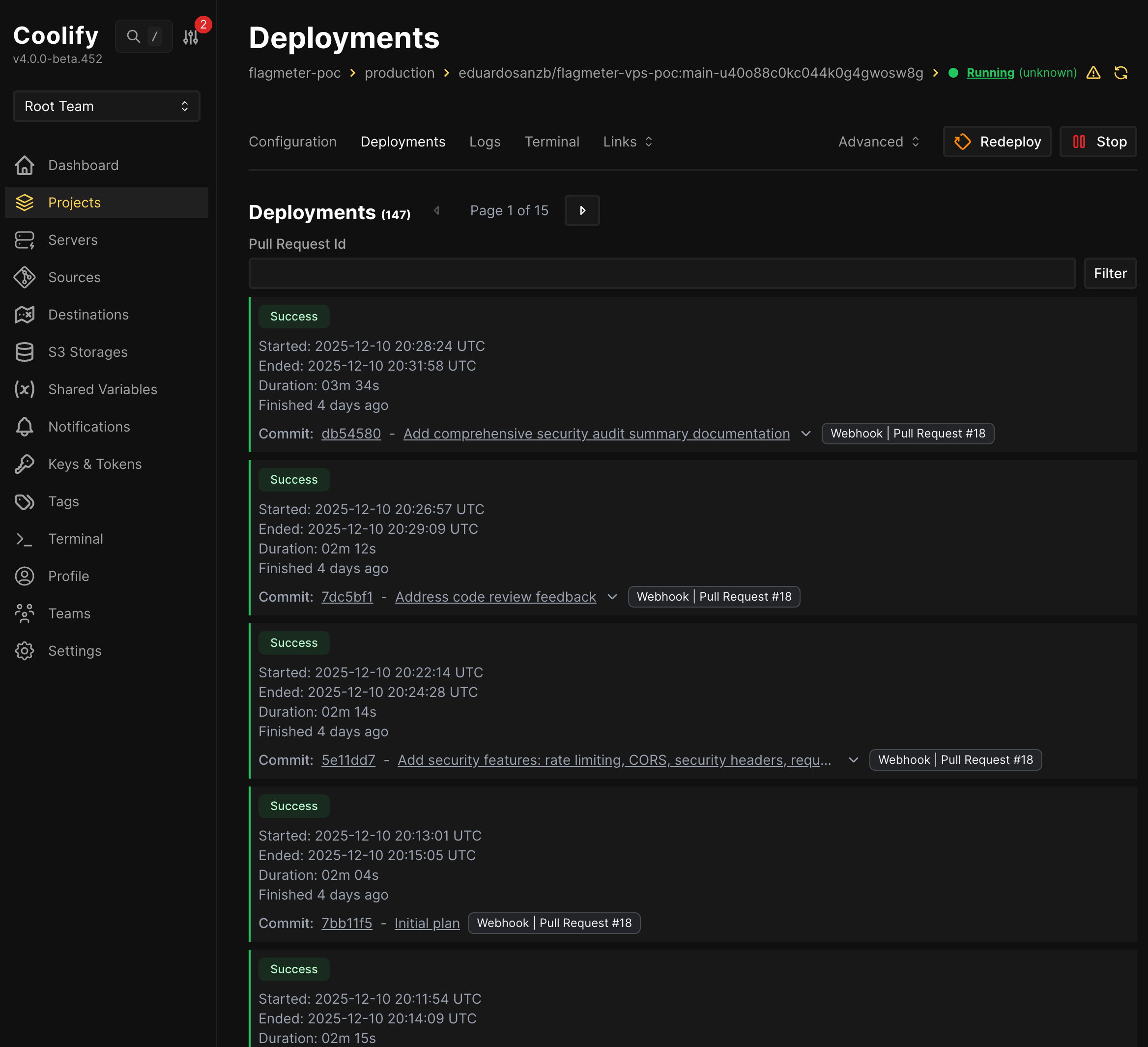
Real deployment times from our Coolify dashboard:
- Typical deploy: 2-3 minutes
- Preview environment: 39 seconds (for the landing page)
- Total deployments to date: 147 (FlagMeter) + 71 (landing page)
Preview Environments That Don’t Break the Bank
This is where Coolify really shines. Every PR gets its own preview URL:
https://demo.raus.cloud/→ main branchhttps://20.demo.raus.cloud/→ PR #20https://21.raus.cloud/→ PR #21
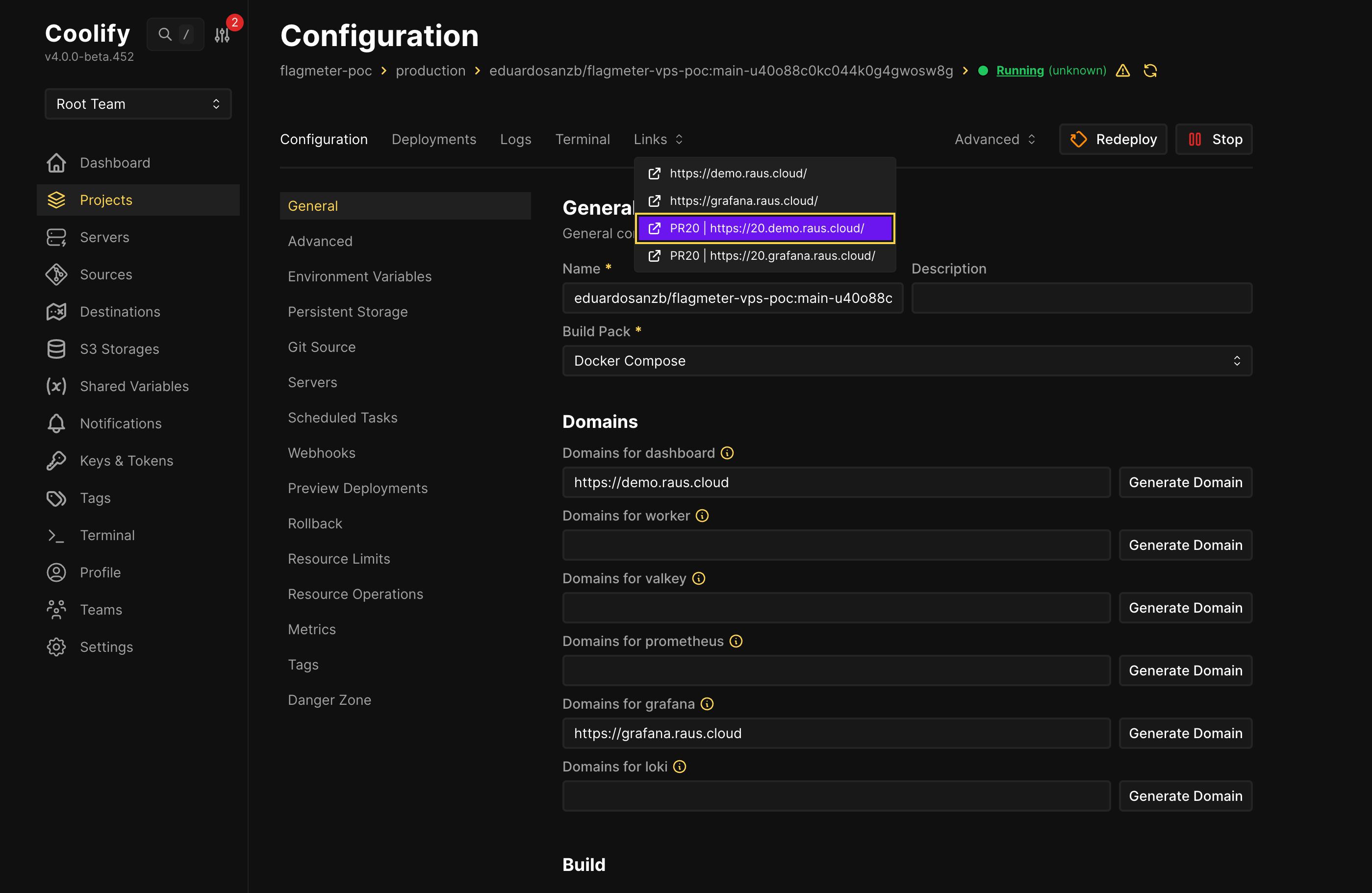
Why this matters:
On Vercel Pro, preview deployments start at $20/month per user. With 5 engineers, that’s $100/month just for previews.
Our cost: €0 extra. Same VPS, same resources, unlimited previews.
We use this for our landing page too—every blog post PR gets a preview so we can check formatting, translations, and screenshots before merging.

The Features We Actually Use
Auto-HTTPS via Let’s Encrypt:
- Enter domain → Coolify handles certificates
- Renewal is automatic
- Zero configuration beyond the domain name
Environment Variables UI:
- No more
.envfiles in repos - Secrets stay in Coolify, not in git history
- Different values per environment (production vs preview)
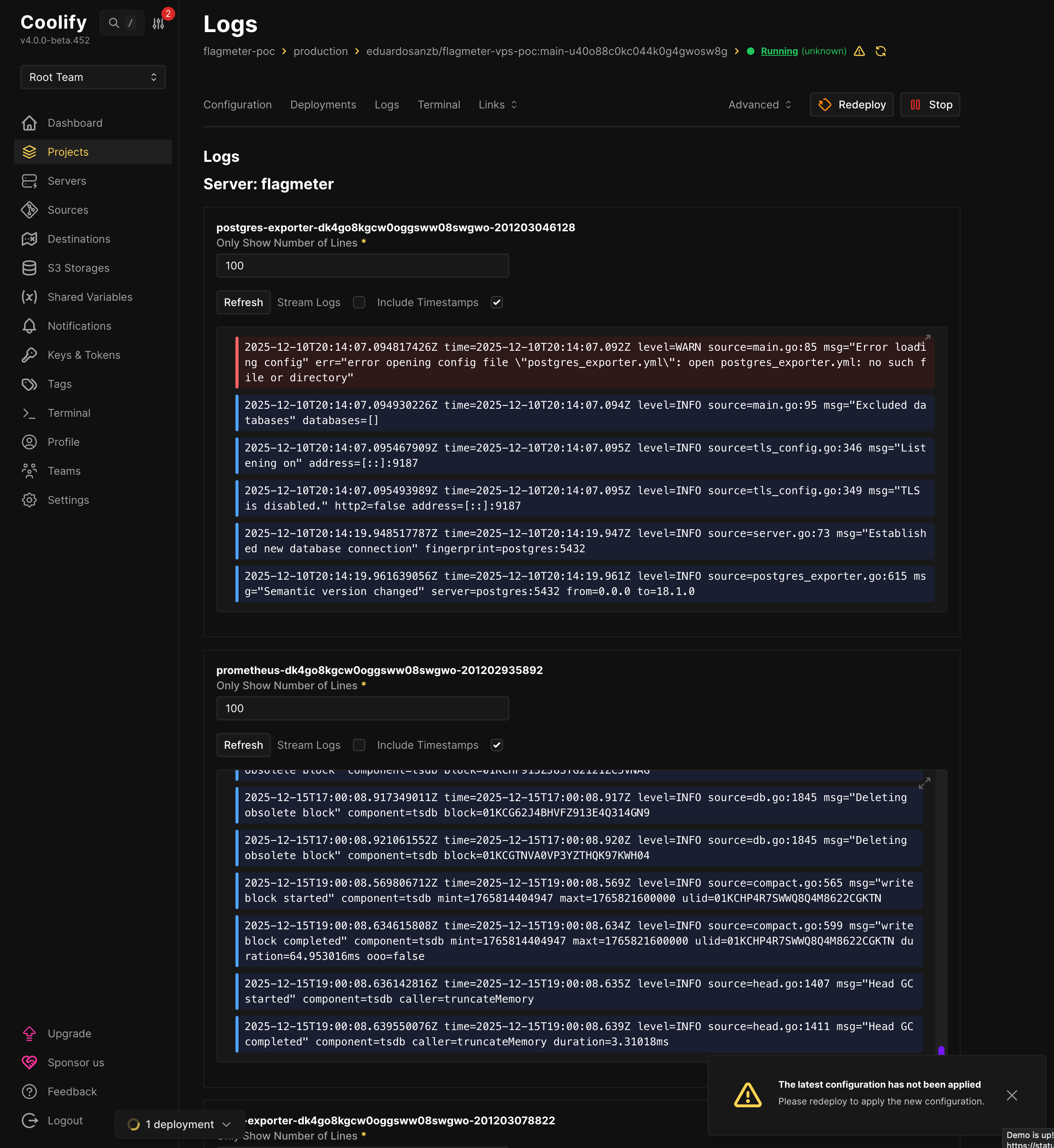
Logs Aggregation:
- All containers in one view
- Filtering by service
- No separate logging stack needed (though we also run Loki)
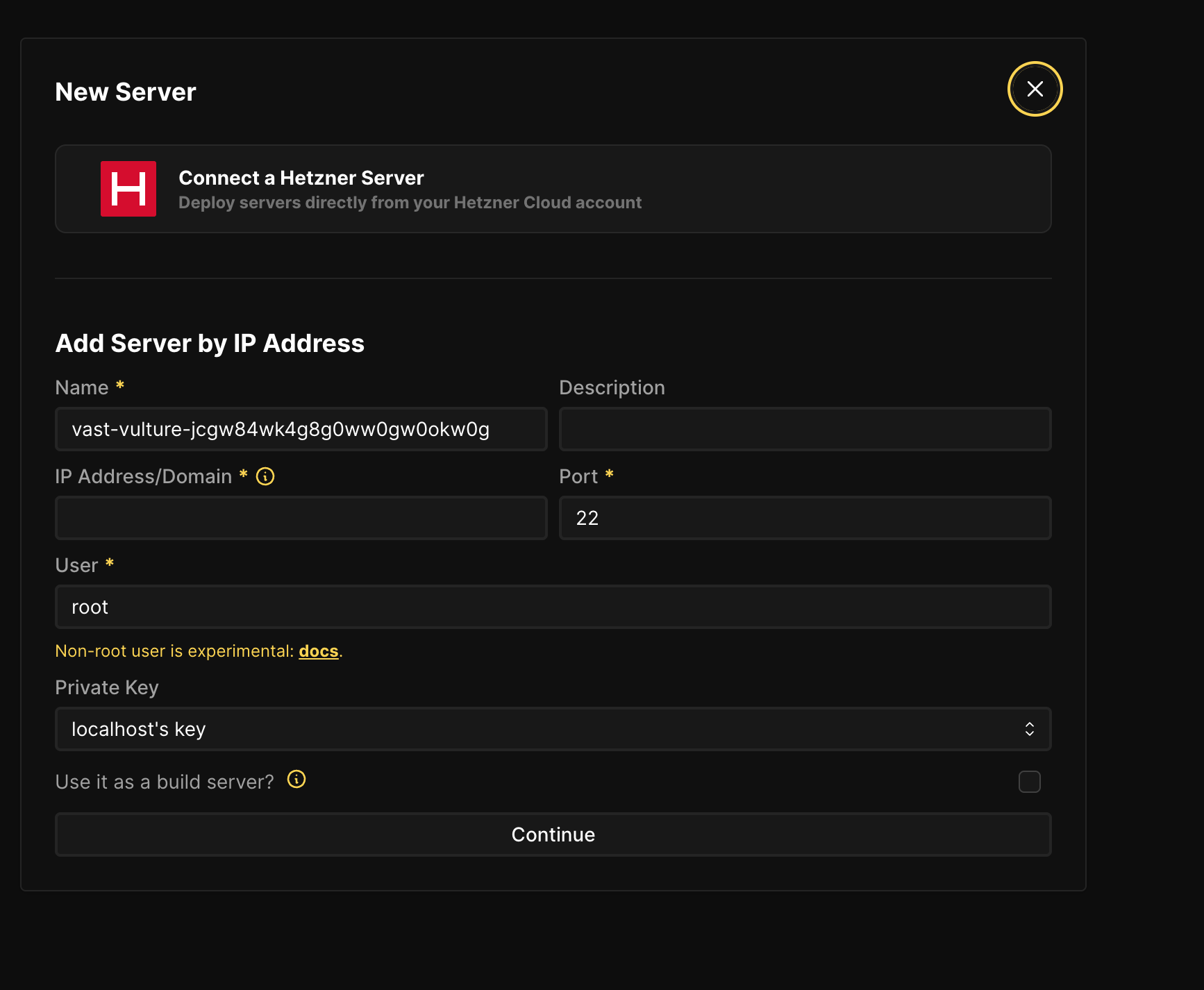
Hetzner Integration:
- Click “Connect a Hetzner Server”
- Enter your Hetzner API token
- Coolify provisions VPS directly
The Honest Gotchas
We’re not here to sell you Coolify. Here’s what tripped us up:
1. Coolify uses docker compose up, NOT docker stack deploy
If you want Docker Swarm orchestration, Coolify won’t do it automatically. You have to:
- SSH to the server
- Run
docker stack deploymanually - Use Coolify only for monitoring/management
There’s an open discussion about better Swarm support, but for now, Coolify excels at single-server deployments.
2. For Swarm deployments, you need custom build scripts and a registry
The basics are well-documented. But when we tried to set up Docker Swarm deployments, we had to get creative. Swarm’s docker stack deploy can’t build images—it only pulls from registries. So we:
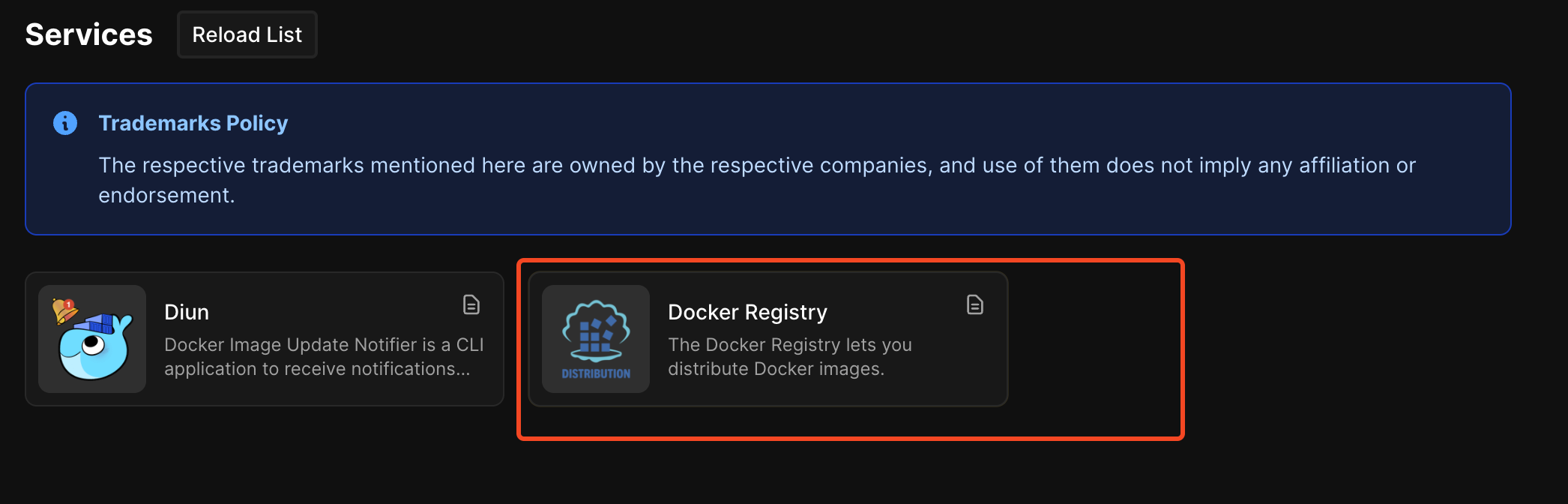
- Self-host a Docker Registry (Coolify has a one-click service for this)
- Write custom build scripts that build, tag, and push images
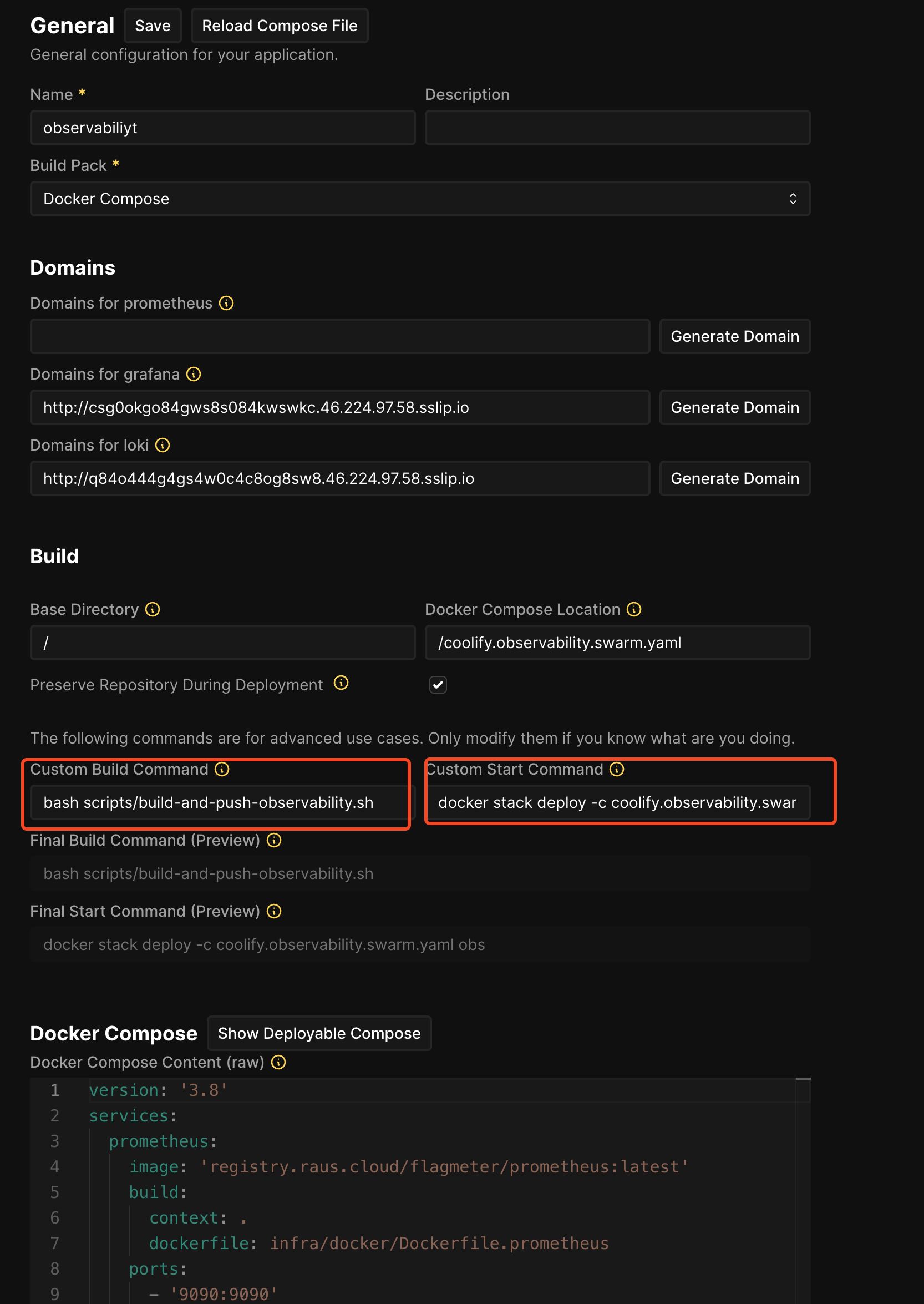
- Override Coolify’s default commands to use
docker stack deploy
Here’s our build script that Coolify runs before deployment:
# scripts/build-and-push-observability.sh
REGISTRY_URL="registry.raus.cloud"

# Login to our self-hosted registry
echo "$REGISTRY_PASSWORD" | docker login "$REGISTRY_URL" -u "$REGISTRY_USER" --password-stdin

# Build images using docker compose
docker compose -f coolify.observability.swarm.yaml build

# Push to registry so Swarm nodes can pull them
docker compose -f coolify.observability.swarm.yaml push
Then in Coolify’s advanced settings, we override the default commands:
3. S3 backups exist but we haven’t battle-tested them
Coolify supports scheduled database backups to S3-compatible storage (AWS S3, Cloudflare R2, etc.). The feature exists, the documentation is there, but we haven’t stress-tested recovery. That’s on our todo list.
When Coolify Makes Sense
Use Coolify when:
- Single-server deployments (our use case)
- Small teams (1-15 engineers)
- Docker Compose is your deployment format
- You want Vercel/Heroku DX without the lock-in
Consider alternatives when:
- Multi-region requirements from day one
- Need Kubernetes (try Kamal or raw K8s)
- Enterprise compliance requires specific tooling
Part 3: Terraform—The “What If Everything Burns Down?” Plan
Why Terraform When Coolify Can Provision Servers?
Fair question. Coolify can create Hetzner servers directly. Why add Terraform?
Three reasons CTOs care about:
- Reproducibility:
terraform applycreates identical infrastructure every time - Audit trail: Git history shows who changed what, when
- Disaster recovery: Server dies?
terraform applyand you’re back in 15 minutes
Our Terraform Setup (50 Lines That Matter)
# servers.tf - The entire server definition
resource "hcloud_server" "flagmeter" {
  name        = "flagmeter-prod"
  server_type = "cax21"  # 4 vCPU, 8GB RAM, €7.59/mo
  image       = "ubuntu-24.04"
  location    = "fsn1"

  ssh_keys     = [hcloud_ssh_key.deploy.id]
  firewall_ids = [hcloud_firewall.web.id]

  # Cloud-init installs Docker automatically
  user_data = file("${path.module}/cloud-init.yaml")
}

resource "hcloud_firewall" "web" {
  name = "web-firewall"

  rule {
    direction = "in"
    protocol  = "tcp"
    port      = "22"
    source_ips = ["0.0.0.0/0"]
  }

  rule {
    direction = "in"
    protocol  = "tcp"
    port      = "80"
    source_ips = ["0.0.0.0/0"]
  }

  rule {
    direction = "in"
    protocol  = "tcp"
    port      = "443"
    source_ips = ["0.0.0.0/0"]
  }
}
That’s it. ~50 lines for a production-ready server with firewall rules.
The Armageddon Test
We actually ran this test. Here’s the recovery timeline:
| Step | Time | Command |
|---|---|---|
| Server dies | 0:00 | (simulated with terraform destroy) |
| Provision new server | 2:30 | terraform apply |
| Docker ready | 4:00 | (cloud-init completes) |
| Add server to Coolify | 5:00 | (click “Validate” in UI) |
| Redeploy application | 8:00 | (automatic via webhook) |
| Total recovery | ~10 min |
Compare that to “call the one person who knows how we set up the server” at 2am.
Terraform + Coolify Hybrid Approach
Our actual workflow:
    graph LR
	    subgraph "Infrastructure Layer"
	        TF[Terraform] --> SERVER[Hetzner VPS]
	        TF --> FW[Firewall Rules]
	        TF --> NET[Private Network]
	    end

	    subgraph "Application Layer"
	        COOL[Coolify] --> DEPLOY[Deployments]
	        COOL --> CERTS[SSL Certificates]
	        COOL --> PREVIEW[PR Previews]
	    end

	    SERVER --> COOL
Terraform handles: Server provisioning, networking, firewall rules Coolify handles: Application deployment, SSL, previews, monitoring
This separation means:
- Infrastructure changes go through code review (Terraform)
- Application changes go through normal PR workflow (Coolify)
- Neither tool has too much responsibility
Optional: Swarm Initialization Scripts
If you do need multi-node deployment, we have scripts for that:
# infra/terraform/scripts/01-init-swarm.sh
# Creates Swarm cluster from Terraform-provisioned servers

MANAGER_IP=$(terraform output -raw manager_public_ip)
WORKER_IP=$(terraform output -raw worker_public_ip)

# Initialize Swarm on manager
ssh root@$MANAGER_IP "docker swarm init --advertise-addr 10.0.0.2"

# Get join token and add worker
TOKEN=$(ssh root@$MANAGER_IP "docker swarm join-token -q worker")
ssh root@$WORKER_IP "docker swarm join --token $TOKEN 10.0.0.2:2377"
But honestly? We don’t use Swarm anymore. Article 1 proved single-server is better for our scale.
Bonus: There’s a Terraform Provider for Coolify
We didn’t use it, but it exists: the Coolify Terraform Provider.
In theory, you could:
- Auto-register servers in Coolify via Terraform
- Create projects and resources programmatically
- Have a fully automated, zero-click setup
Why we didn’t go this route:
- We discovered Coolify can’t orchestrate Docker Swarm anyway
- Once we abandoned Swarm (Article 1), Coolify’s native Docker Compose workflow was sufficient
- Manual UI clicks to add 2 servers felt acceptable for our scale
But if you’re managing 10+ servers, the Terraform provider could eliminate manual steps entirely. It’s just an API—integrate it however makes sense for your workflow.
The Complete Cost Breakdown
| Component | What It Does | Monthly Cost |
|---|---|---|
| Coolify control plane | Runs on CAX11 (2 vCPU, 4GB) | €3.79 |
| FlagMeter production | CAX21 (4 vCPU, 8GB) | €7.59 |
| SSL certificates | Let’s Encrypt via Coolify | €0 |
| Preview environments | Same servers, dynamic routing | €0 |
| Total | €11.38/mo |
What this replaces:
- Vercel Pro: $20/user/month × 5 = $100/month
- AWS (Lambda + RDS + ALB): €10,560/month (from Article 1)
- DevOps engineer: €5,000-8,000/month (not needed)
The Comparison Tables
Deployment Platform Comparison
| Feature | Coolify | Vercel | Railway | Render |
|---|---|---|---|---|
| Monthly cost (our setup) | €11.38 | $100+ | $50-200+ | $50-150+ |
| Self-hosted option | ✅ | ❌ | ❌ | ❌ |
| Docker Compose native | ✅ | ❌ | Limited | Limited |
| Preview environments | ✅ Unlimited | ✅ (paid) | ✅ (paid) | ✅ (paid) |
| Database included | ✅ | ❌ | ✅ | ✅ |
| Vendor lock-in | None | High | Medium | Medium |
| GitHub stars | 48,500+ | N/A | N/A | N/A |
Self-Hosted PaaS Comparison
| Feature | Coolify | Dokku | CapRover | Kamal |
|---|---|---|---|---|
| GitHub stars | 48,500 | 29,000 | 13,000 | 12,000 |
| Web UI | ✅ Modern | ❌ CLI only | ✅ Basic | ❌ CLI only |
| Docker Compose | ✅ Native | Buildpack | ✅ | ❌ |
| Multi-server | ✅ | Limited | ✅ | ✅ |
| Active development | Very active | Moderate | Moderate | Active |
| Best for | General use | Heroku-style | General | Rails apps |
What’s Next
This article covered the DevOps layer. Future articles in this series:
- Part 3: The €8 to €800 Scaling Roadmap — When and how to scale vertically before going distributed
- Running PostgreSQL in Production on VPS — Tuning, backups, monitoring, and disaster recovery
15-minute call • No sales pitch • Honest assessment
Previous in series: We Spent €11/month Testing Docker Swarm So You Don’t Have To
This article is part of our infrastructure repatriation case studies. Real tools, real costs, real lessons learned while building sustainable alternatives to cloud complexity.
Tags
Ready to Simplify Your Infrastructure?
Let us show you how to cut your cloud costs and simplify your operations.
Book Free Consultation